
0.13 Viewing Credit Usage
Track AI credit consumption, plan-credit grants, and what happens when you run low.
Quick Guide
Where: Credit Usage
Page title: Credit Usage
Best use: Check where credits went before you buy more or change plan.
What you can read here
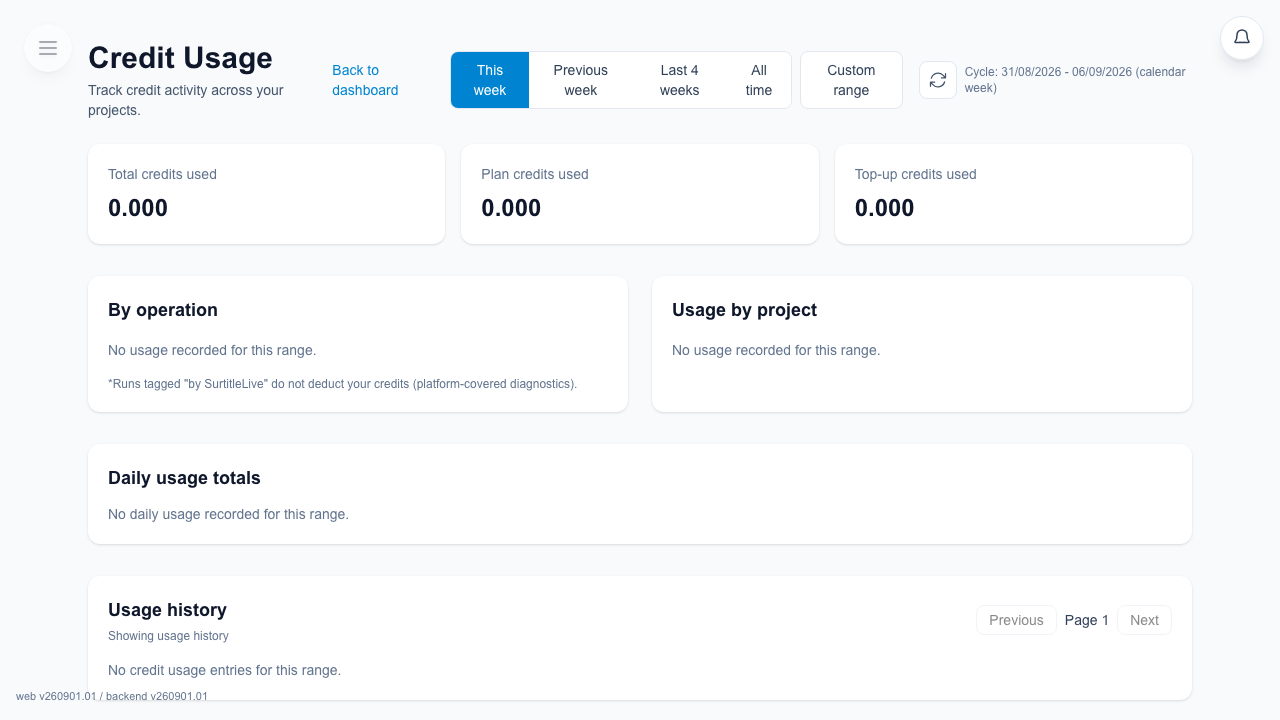
- Summary cards at the top.
- Breakdowns by operation and by project.
- Daily totals.
- API call log.
When to use this page
- Translation used more credits than expected.
- You need to see which project consumed credits.
- You want a date-based view before the next plan-credit grant or reset.
FAQ
Common questions for this workflow, based on the current Pockitle Cue system.
What happens when I run out of credits?+
AI work waits until enough credits are available. Check the next eligible plan-credit grant or Access Pass; buying top-up credits requires an active Access Pass. Previously purchased top-up credits remain available after the pass ends, and manual editing can continue.
Do unused plan credits roll over?+
No. Included plan credits follow the Access Pass grant schedule and unused amounts do not carry into the next period. Purchased top-up credits remain separate.
Billing Workflow
Continue In This Workflow
Membership, credits, refund requests, codes, and organization or team-management actions tied to account administration.
0.18 How to Request a Refund in Pockitle Cue
Request a refund from the Membership page and understand the current refund eligibility and review flow.
0.7 Redeeming an Invitation Code
Redeem a trial or promo code from the Membership page if your account is eligible.
0.9 Inviting Team Members
Invite collaborators, assign roles, and understand team limits on Pro and Pro+.